¶ Overview
¶ Navigation
You can access KTS resources from the menu by selecting any resource type under the "Resources" item. The application will navigate to the same page in all cases. Depending on your selection appropriate tab ("2") will be active.
¶ List
All resource types are presented on the bar pane ("1"). The active tab ("2") is underlined (it is "code systems" in our example). All other tabs are inactive ("3").
The number of resource types and resources you can see depends on your privileges granted by the administrator. You can see the number of resources in the particular tab (10 is the number of the code systems in our example "2").
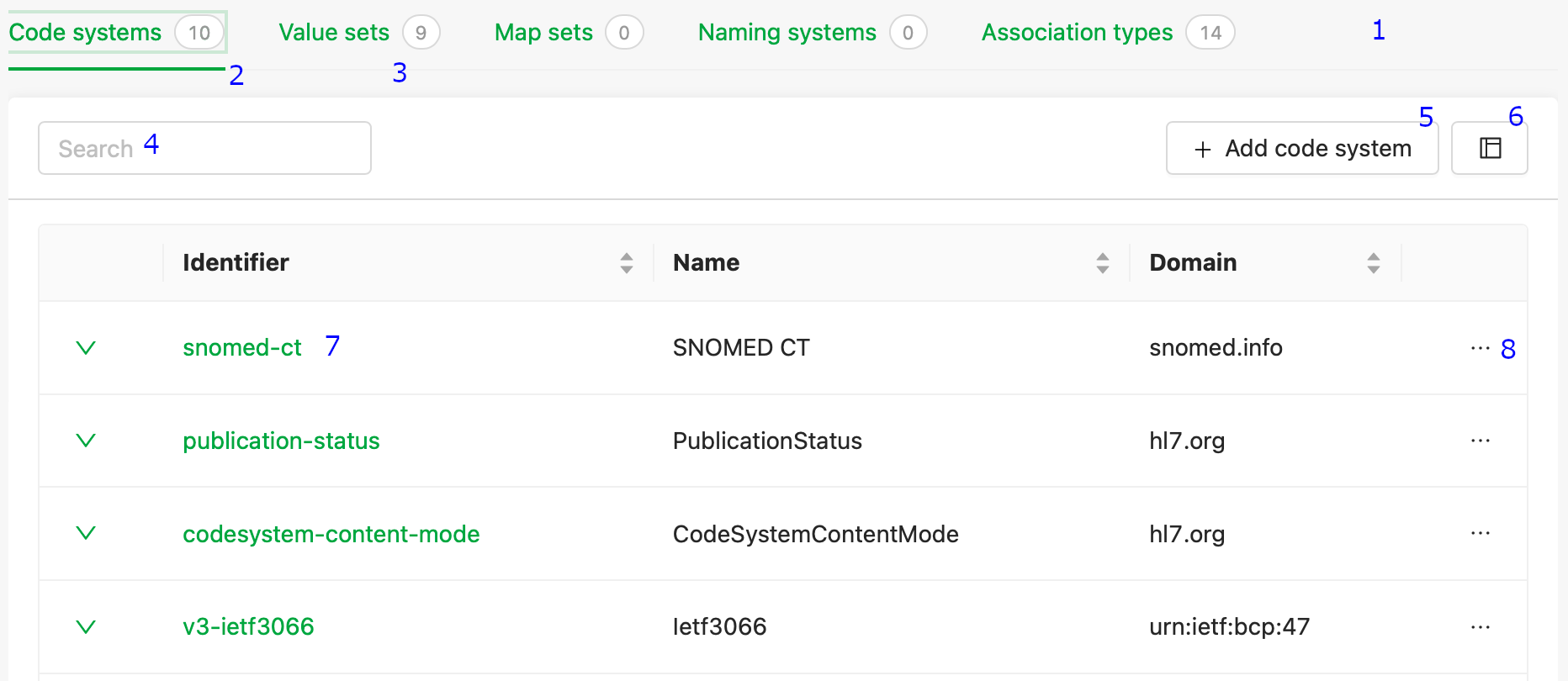
You can search ("4") from the list of resources. Search is case-insensitive and uses any code or designations. You can add the resource ("5") or duplicate any existing resource using "..."->"Duplicate" ("8") and continue creation after you have navigated to new a page.
The link on the resource bar redirects to the selected resource page ("7").
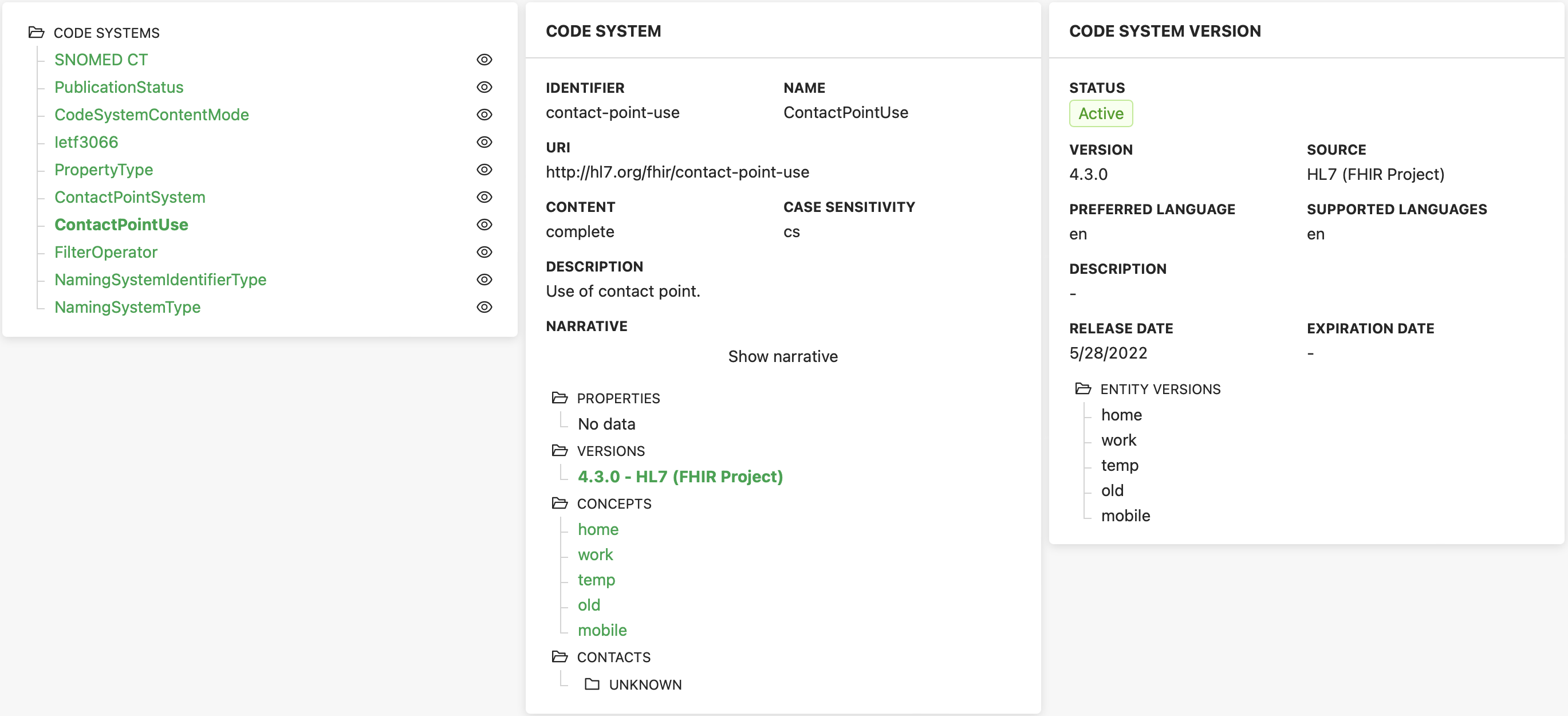
With the icon "frame" ("6") you will be switched to the alternative view that gives a quick overview of resources, resource versions, and concepts. Below is the picture with FHIR code system ContactPointUse.
¶ Code system
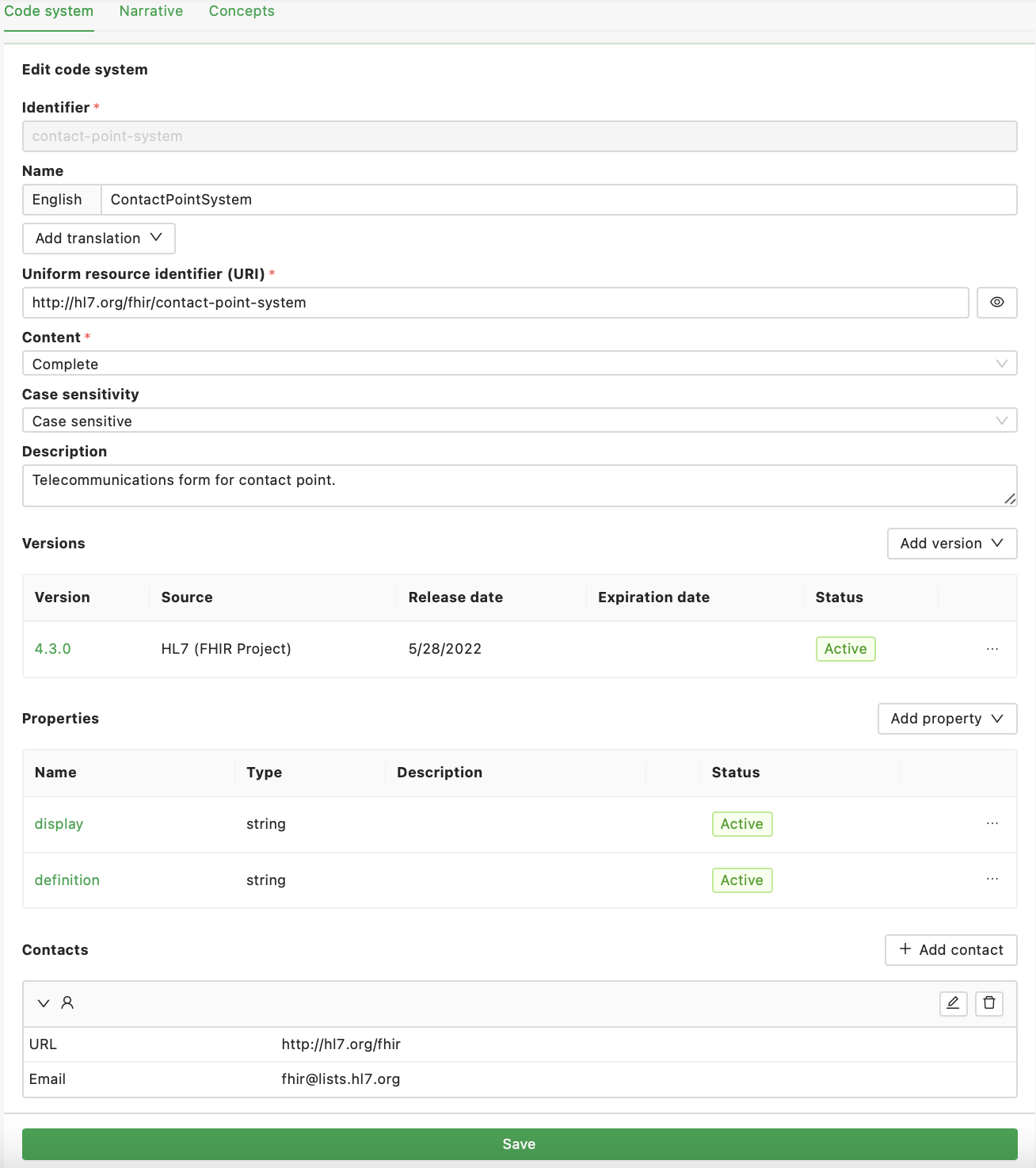
The code system landing page consists of identifiers, names (in several languages), URI, description, versions, contacts, narrative (separate tab), properties, and concepts (separate tab).
¶ Relations
To manage code systems, you must understand the relationships between data objects. The following diagram gives a conceptual overview of the relationships.
The following user interface implements CRUD functionality for management of the code properties, versions, concepts, concept versions, and relations between code system versions and concept versions.
When code system version or concept version is active you can not change content of that version!
Use "..."->"Duplicate" functionality with code system and concept versions. It will create new draft version you can continue to manage.
¶ Value set
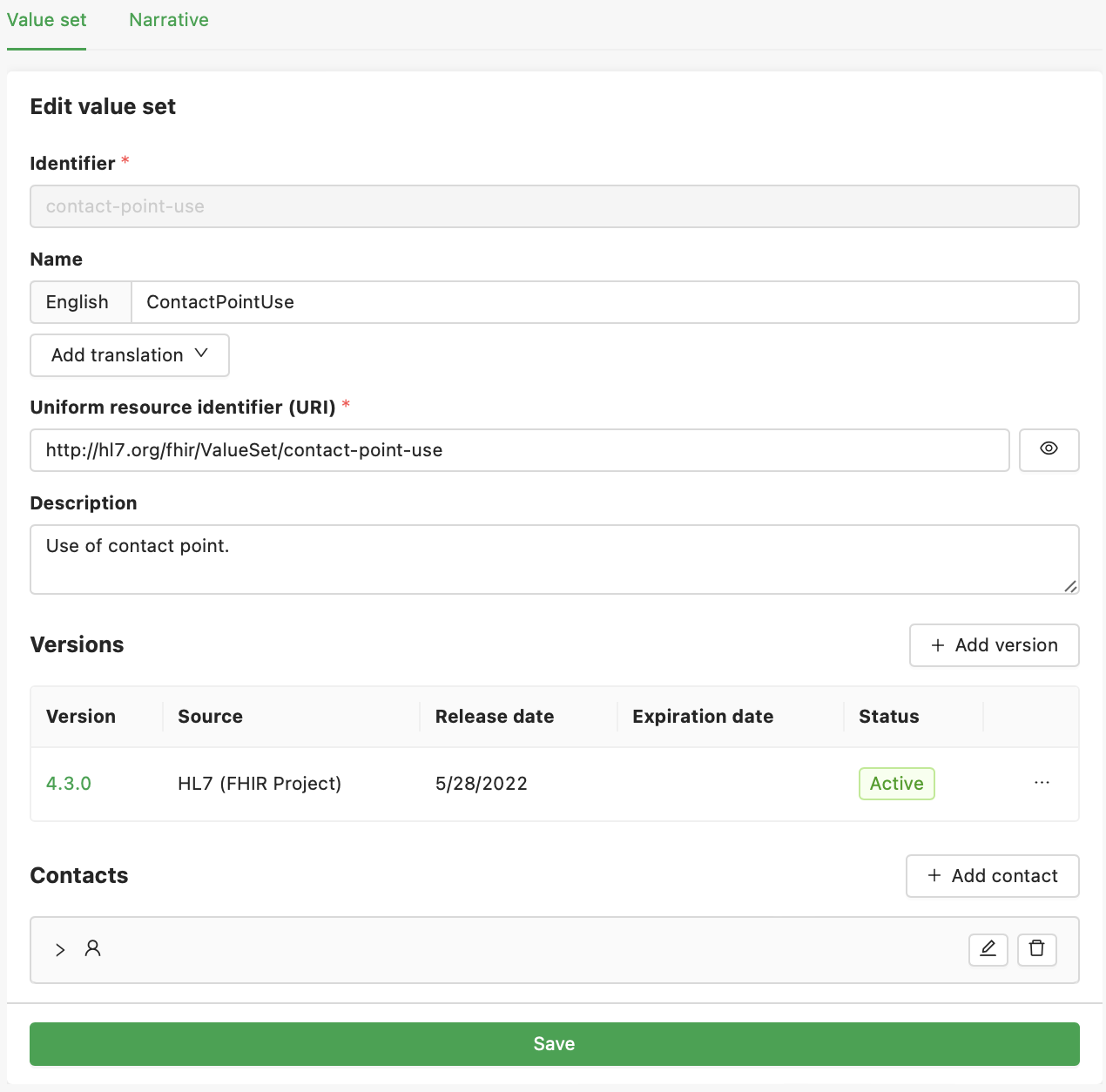
The value set landing page is similar to the code system landing page. It consists of identifiers, names (in several languages), URI, descriptions, versions, contacts, and narratives (in a separate tab).
When code systems are used to create terminology, value sets are used to create sets of values required to solve a business problem. Typically it is done by picking the code system concepts or using the expressions to include the list of concepts in the final selection or to exclude the concepts.
¶ Rules
You can specify these rules within the draft version of the value set.
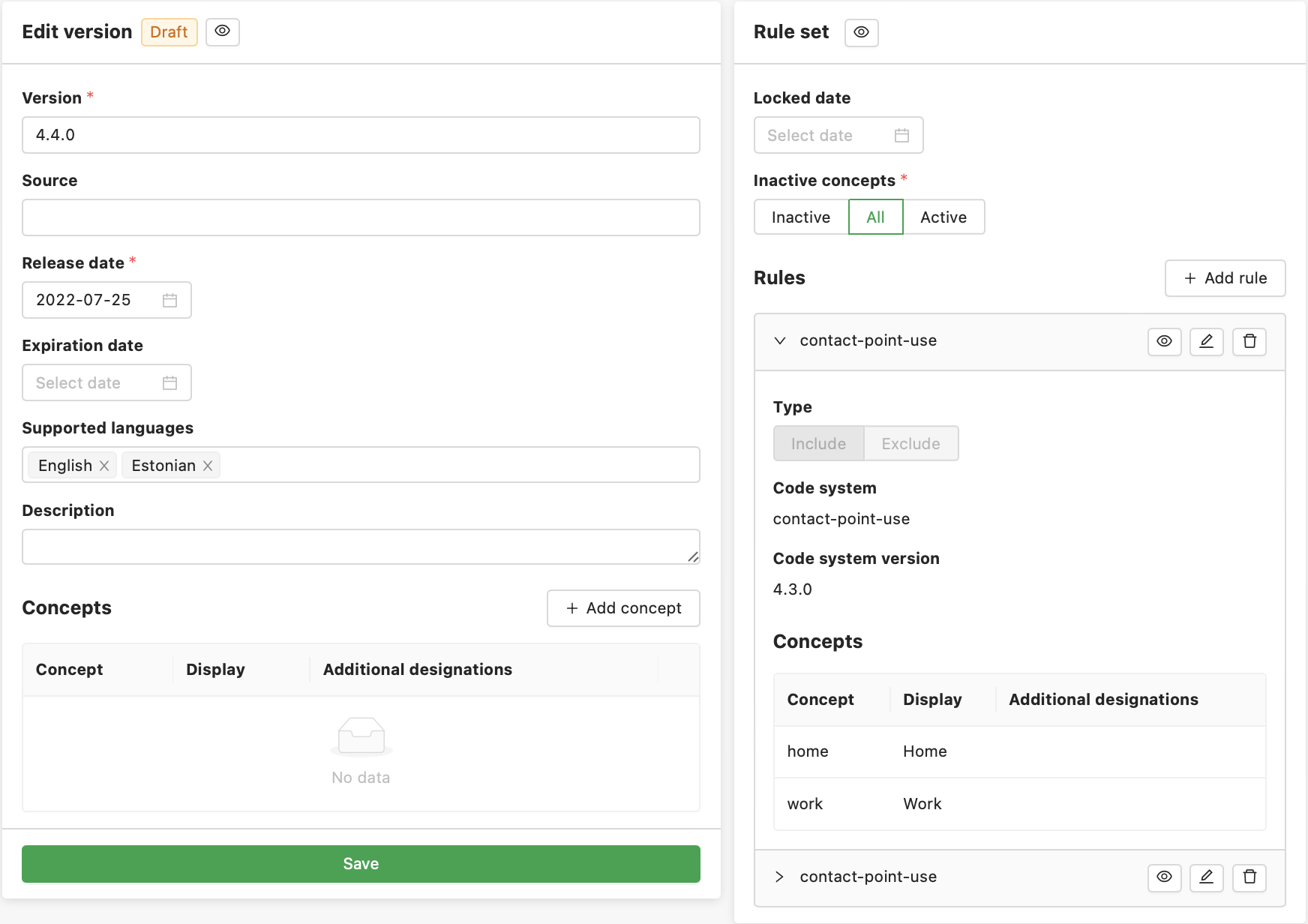
The rule definition consists of rules for concept inclusion and rules for concept exclusion. All rules work additively (like UNION in SQL language). Every rule is based on the exact code system and code system version. If you don't specify any limitations all concepts from the code system will be included in a value set.
Use the "eye" icon to review the list of concepts that belong to the rule.
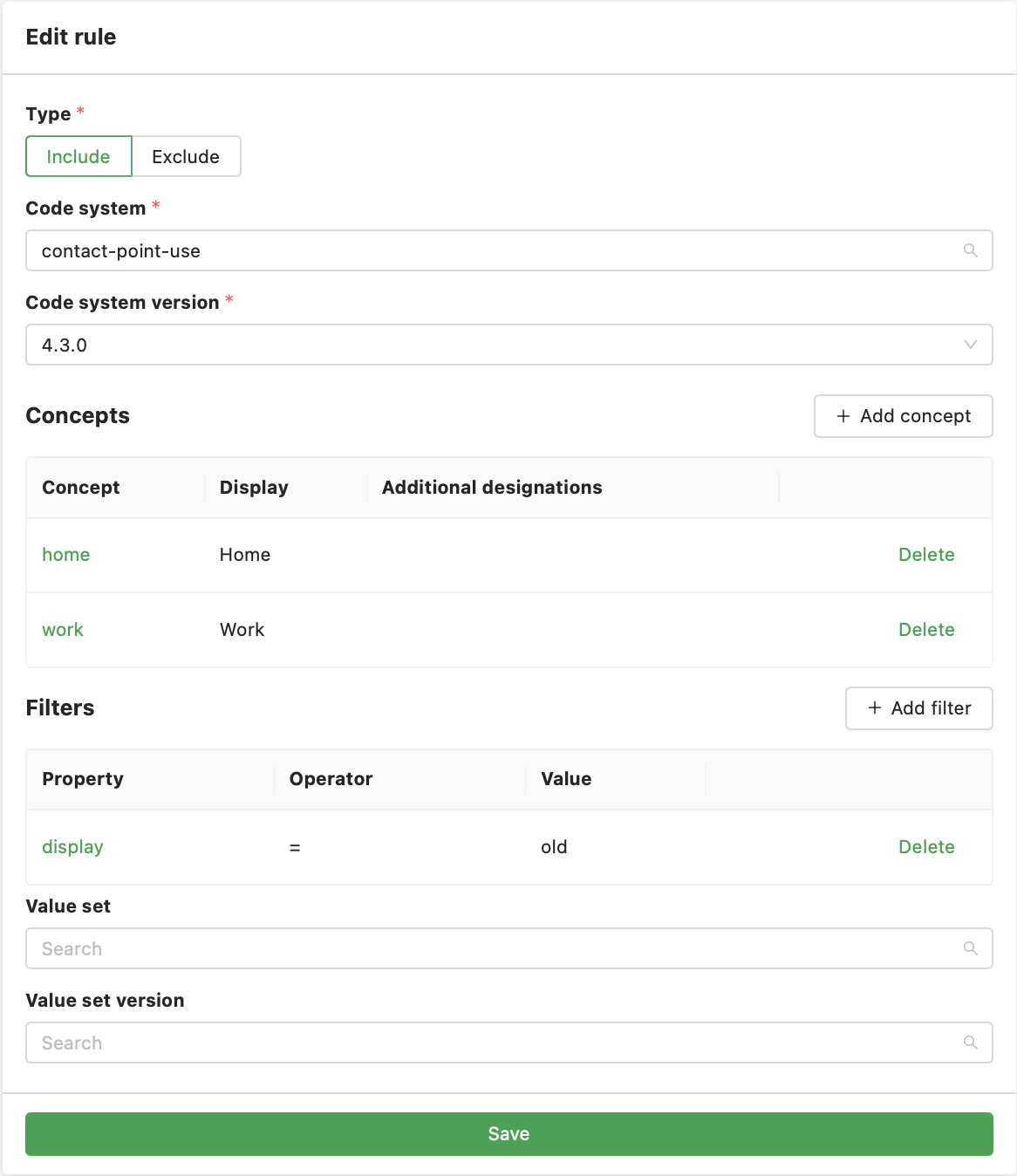
You can also pick only some concepts from the code system or specify expressions that are based on code system properties.